Exercism - Allergies
This post shows you how to get Allergies exercise of Exercism.

Preparation
Before we click on our next exercise, let’s see what concepts of DART we need to consider
So we need to use the following concepts.
Static Constants (Maps)
Static constants are class-level constants that belong to the class itself. Maps can be defined as static constants to store key-value pairs that don’t change.
class Allergies {
  static const Map<String, int> allergens = {
    'eggs': 1,
    'peanuts': 2,
    'shellfish': 4,
    'strawberries': 8,
  };

  void printAllergen(String name) {
    print(allergens[name]); // Access static constant
  }
}

void main() {
  // Access static constant without creating an instance
  print(Allergies.allergens['eggs']); // 1

  Allergies allergies = Allergies();
  allergies.printAllergen('peanuts'); // 2
}
Bitwise AND Operator
The bitwise AND operator (&) compares each bit of two numbers. It returns 1 if both bits are 1, otherwise 0. It’s useful for checking if specific bits (allergens) are set in a score.
void main() {
  int score = 34;  // Binary: 100010 (peanuts=2, chocolate=32)

  // Check if peanuts (2) is in the score
  if ((score & 2) != 0) {
    print('Allergic to peanuts'); // This prints
  }

  // Check if chocolate (32) is in the score
  if ((score & 32) != 0) {
    print('Allergic to chocolate'); // This prints
  }

  // Check if eggs (1) is in the score
  if ((score & 1) != 0) {
    print('Allergic to eggs'); // This doesn't print (34 & 1 = 0)
  }
}
Map Entries and Iteration
You can iterate over a map using entries, which gives you access to both keys and values. Each entry has a key and a value property.
void main() {
  Map<String, int> allergens = {
    'eggs': 1,
    'peanuts': 2,
    'shellfish': 4,
  };

  // Iterate over entries
  for (final entry in allergens.entries) {
    print('${entry.key}: ${entry.value}');
  }

  // Access key and value separately
  for (final entry in allergens.entries) {
    String name = entry.key;
    int value = entry.value;
    print('$name = $value');
  }
}
Where Method
The where() method filters a collection based on a condition. It returns an iterable containing only the elements that satisfy the condition.
void main() {
  Map<String, int> allergens = {
    'eggs': 1,
    'peanuts': 2,
    'shellfish': 4,
    'strawberries': 8,
  };

  int score = 6; // Binary: 110 (peanuts=2, shellfish=4)

  // Filter entries where the allergen is in the score
  var present = allergens.entries.where((entry) => (score & entry.value) != 0);

  for (var entry in present) {
    print(entry.key); // peanuts, shellfish
  }
}
Map Method
The map() method transforms each element in a collection. It takes a function that defines how to transform each element.
void main() {
  Map<String, int> allergens = {
    'eggs': 1,
    'peanuts': 2,
    'shellfish': 4,
  };

  // Transform entries to just their keys
  var keys = allergens.entries.map((entry) => entry.key);
  print(keys.toList()); // [eggs, peanuts, shellfish]

  // Chain with where
  int score = 6;
  var presentKeys = allergens.entries
      .where((entry) => (score & entry.value) != 0)
      .map((entry) => entry.key);
  print(presentKeys.toList()); // [peanuts, shellfish]
}
ToList Method
The toList() method converts an iterable (like the result of where() or map()) into a list. This is necessary when you need a concrete list.
void main() {
  Map<String, int> allergens = {
    'eggs': 1,
    'peanuts': 2,
  };

  // where() and map() return iterables
  var filtered = allergens.entries.where((e) => true);
  print(filtered.runtimeType); // WhereIterable<MapEntry<String, int>>

  // Convert to list
  List<String> keys = allergens.entries
      .where((e) => true)
      .map((e) => e.key)
      .toList();
  print(keys); // [eggs, peanuts]
}
Null Checks
Null checks are essential when accessing map values, as map lookups can return null if the key doesn’t exist.
void main() {
  Map<String, int> allergens = {
    'eggs': 1,
    'peanuts': 2,
  };

  // Map lookup can return null
  int? value = allergens['eggs'];
  print(value); // 1

  int? missing = allergens['chocolate'];
  print(missing); // null

  // Check for null before using
  if (value != null) {
    print('Found: $value');
  }

  // Or use null-aware operator
  int result = allergens['eggs'] ?? 0;
  print(result); // 1
}
Method Chaining
Method chaining allows you to call multiple methods in sequence. Each method operates on the result of the previous one, creating a pipeline of transformations.
void main() {
  Map<String, int> allergens = {
    'eggs': 1,
    'peanuts': 2,
    'shellfish': 4,
  };

  int score = 6;

  // Chain: entries → where → map → toList
  List<String> present = allergens.entries
      .where((entry) => (score & entry.value) != 0)
      .map((entry) => entry.key)
      .toList();

  print(present); // [peanuts, shellfish]
}
Introduction
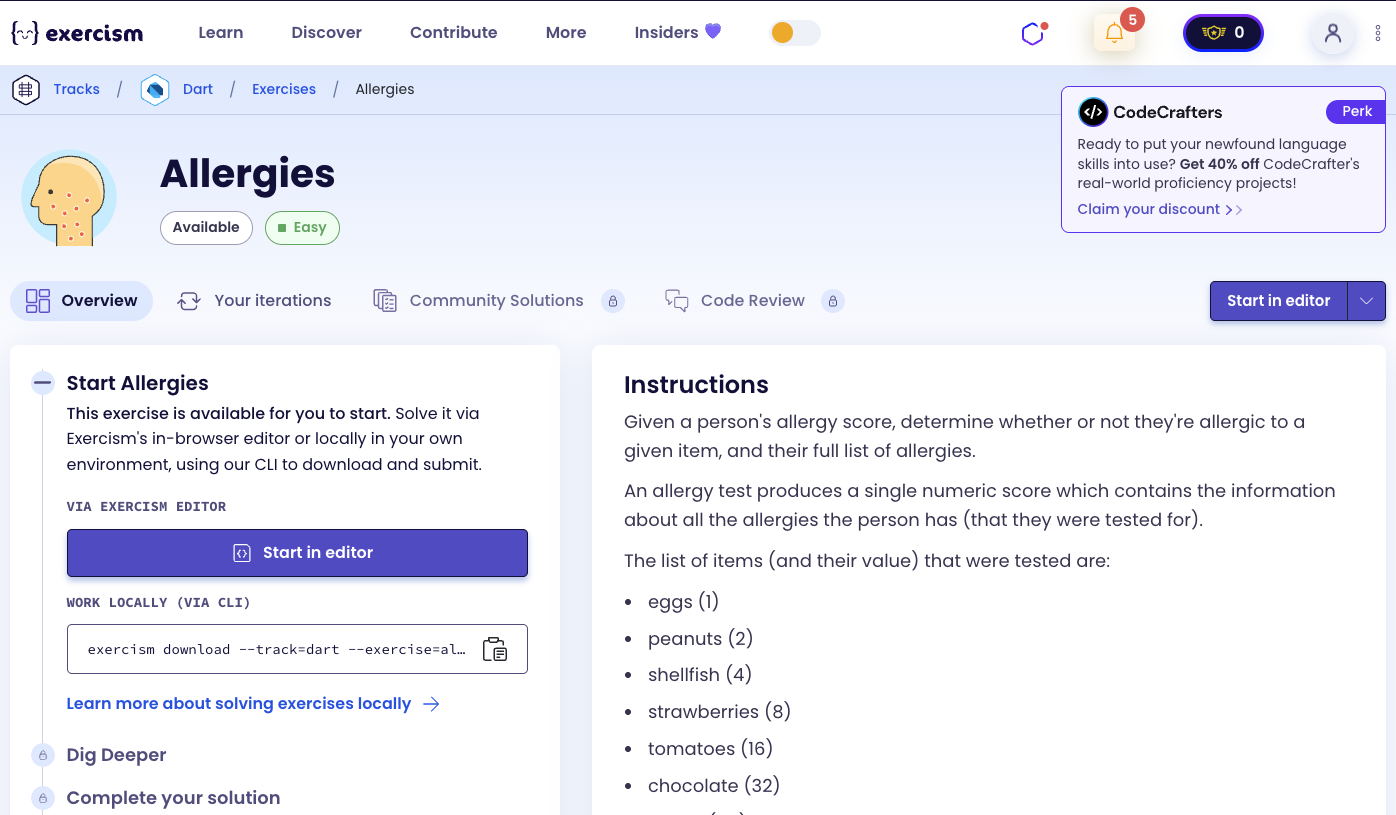
Given a person’s allergy score, determine whether or not they’re allergic to a given item, and their full list of allergies.
An allergy test produces a single numeric score which contains the information about all the allergies the person has (that they were tested for).
Allergen Values
The list of items (and their value) that were tested are:
- eggs (1)
- peanuts (2)
- shellfish (4)
- strawberries (8)
- tomatoes (16)
- chocolate (32)
- pollen (64)
- cats (128)
Example
So if Tom is allergic to peanuts and chocolate, he gets a score of 34.
Now, given just that score of 34, your program should be able to say:
- Whether Tom is allergic to any one of those allergens listed above.
- All the allergens Tom is allergic to.
Note
A given score may include allergens not listed above (i.e. allergens that score 256, 512, 1024, etc.). Your program should ignore those components of the score. For example, if the allergy score is 257, your program should only report the eggs (1) allergy.
What is an allergy score?
An allergy score is a numeric value that encodes multiple allergies using binary representation. Each allergen is assigned a power of 2 (1, 2, 4, 8, 16, 32, 64, 128, etc.), and the score is the sum of all present allergens. This allows multiple allergies to be stored in a single number using bitwise operations.
— Medical Informatics
How can we decode allergy scores?
To decode allergy scores:
- Store allergen values: Create a map of allergen names to their values (powers of 2)
- Check specific allergen: Use bitwise AND to check if that allergen’s bit is set in the score
- List all allergens: Iterate through all allergens, filter those present in the score, and extract their names
The key insight is using bitwise AND operations to check which allergens are present. Each allergen value is a power of 2, so they don’t overlap in binary representation.
For example, with score 34 (binary: 100010):
- 34 & 1 = 0 → not allergic to eggs
- 34 & 2 = 2 → allergic to peanuts ✓
- 34 & 4 = 0 → not allergic to shellfish
- 34 & 8 = 0 → not allergic to strawberries
- 34 & 16 = 0 → not allergic to tomatoes
- 34 & 32 = 32 → allergic to chocolate ✓
- Result: [peanuts, chocolate]
Solution
class Allergies {
  static const _allergens = {
    'eggs': 1,
    'peanuts': 2,
    'shellfish': 4,
    'strawberries': 8,
    'tomatoes': 16,
    'chocolate': 32,
    'pollen': 64,
    'cats': 128,
  };

  bool allergicTo(String allergen, int score) {
    final value = _allergens[allergen];
    return value != null && (score & value) != 0;
  }

  List<String> list(int score) {
    return _allergens.entries
        .where((entry) => score & entry.value != 0)
        .map((entry) => entry.key)
        .toList();
  }
}
Let’s break down the solution:
-
static const _allergens = {...}- Stores allergen names and their values:- Uses
static constso it belongs to the class and doesn’t change - Maps allergen names (strings) to their values (powers of 2)
- Each value is a unique power of 2: 1, 2, 4, 8, 16, 32, 64, 128
- These values don’t overlap in binary, allowing multiple allergies in one score
- Uses
-
bool allergicTo(String allergen, int score)- Checks if allergic to a specific allergen:- Takes an allergen name and the allergy score
final value = _allergens[allergen]: Looks up the value for the allergen- Returns
nullif allergen is not in the map
- Returns
value != null: Checks if the allergen exists in our list(score & value) != 0: Uses bitwise AND to check if that bit is set- If the result is non-zero, the allergen is present in the score
- Returns
trueif both conditions are met (allergen exists AND is in score)
-
List<String> list(int score)- Returns all allergens present in the score:- Takes the allergy score
_allergens.entries: Gets all key-value pairs from the map.where((entry) => score & entry.value != 0): Filters entries- Keeps only entries where the allergen’s bit is set in the score
- Uses bitwise AND: if
score & entry.value != 0, the allergen is present
.map((entry) => entry.key): Transforms entries to just their keys (allergen names).toList(): Converts the iterable to a concrete list- Returns a list of allergen names that are present in the score
The solution efficiently uses bitwise operations to encode and decode multiple allergies in a single score. The static const map ensures the allergen values are consistent and accessible without creating an instance.
A video tutorial for this exercise is coming soon! In the meantime, check out my YouTube channel for more Dart and Flutter tutorials. 😉
Visit My YouTube Channel