Exercism - Anagram
This post shows you how to get Anagram exercise of Exercism.

Preparation
Before we click on our next exercise, let’s see what concepts of DART we need to consider
So we need to use the following concepts.
Lists and Where Method
The where() method filters a list based on a condition. It returns an iterable containing only the elements that satisfy the condition.
void main() {
  List<String> words = ['stone', 'tones', 'banana', 'notes', 'Seton'];

  // Filter words that have length 5
  var filtered = words.where((word) => word.length == 5);
  print(filtered.toList()); // [stone, tones, notes, Seton]

  // Filter with multiple conditions
  var anagrams = words.where((word) =>
    word.length == 5 && word != 'stone'
  );
  print(anagrams.toList()); // [tones, notes, Seton]
}
String toLowerCase Method
The toLowerCase() method converts all characters in a string to lowercase. This is useful for case-insensitive comparisons.
void main() {
  String word1 = "PoTS";
  String word2 = "sTOp";

  // Case-insensitive comparison
  print(word1.toLowerCase()); // "pots"
  print(word2.toLowerCase()); // "stop"

  // Compare ignoring case
  bool equal = word1.toLowerCase() == word2.toLowerCase();
  print(equal); // false

  // Check if different (case-insensitive)
  bool different = word1.toLowerCase() != word2.toLowerCase();
  print(different); // true
}
String Split Method
The split() method divides a string into a list of substrings. When called with an empty string '', it splits the string into individual characters.
void main() {
  String word = "stone";

  // Split into individual characters
  List<String> chars = word.split('');
  print(chars); // [s, t, o, n, e]

  // Split lowercase version
  String upper = "STONE";
  List<String> lowerChars = upper.toLowerCase().split('');
  print(lowerChars); // [s, t, o, n, e]
}
List Sort Method
The sort() method sorts a list in place. For strings, it sorts alphabetically.
void main() {
  List<String> letters = ['s', 't', 'o', 'n', 'e'];

  // Sort in place
  letters.sort();
  print(letters); // [e, n, o, s, t]

  // Sort a copy
  List<String> original = ['s', 't', 'o', 'n', 'e'];
  List<String> sorted = List.from(original)..sort();
  print(original); // [s, t, o, n, e] (unchanged)
  print(sorted);   // [e, n, o, s, t] (sorted)
}
Cascade Operator
The cascade operator (..) allows you to perform multiple operations on the same object in sequence. It’s useful for method chaining when methods don’t return the object itself.
void main() {
  List<String> letters = ['s', 't', 'o', 'n', 'e'];

  // Without cascade: sort() returns void, so you can't chain
  // List<String> sorted = letters.sort(); // Error!

  // With cascade: sort() modifies the list, then returns it
  List<String> sorted = (letters.toList()..sort());
  print(sorted); // [e, n, o, s, t]

  // Common pattern: split, sort, join
  String word = "stone";
  String sortedWord = (word.toLowerCase().split('')..sort()).join();
  print(sortedWord); // "enost"
}
String Join Method
The join() method combines all elements of a list into a single string, with an optional separator between elements.
void main() {
  List<String> letters = ['e', 'n', 'o', 's', 't'];

  // Join without separator
  String word = letters.join();
  print(word); // "enost"

  // Join with separator
  String withSpace = letters.join(' ');
  print(withSpace); // "e n o s t"
}
Helper Methods
Helper methods encapsulate reusable logic, making code more organized and maintainable. They’re often private methods (starting with _).
class Anagram {
  // Public method
  List<String> findAnagrams(String word, List<String> candidates) {
    return candidates.where((e) => _sortWord(word) == _sortWord(e)).toList();
  }

  // Private helper method
  String _sortWord(String word) {
    return (word.toLowerCase().split('')..sort()).join();
  }
}
String Comparison
Strings can be compared using the == operator. Case-insensitive comparison requires converting both strings to the same case first.
void main() {
  String word1 = "stone";
  String word2 = "STONE";
  String word3 = "tones";

  // Case-sensitive comparison
  print(word1 == word2); // false

  // Case-insensitive comparison
  print(word1.toLowerCase() == word2.toLowerCase()); // true

  // Check if different (case-insensitive)
  print(word1.toLowerCase() != word3.toLowerCase()); // true
}
Introduction
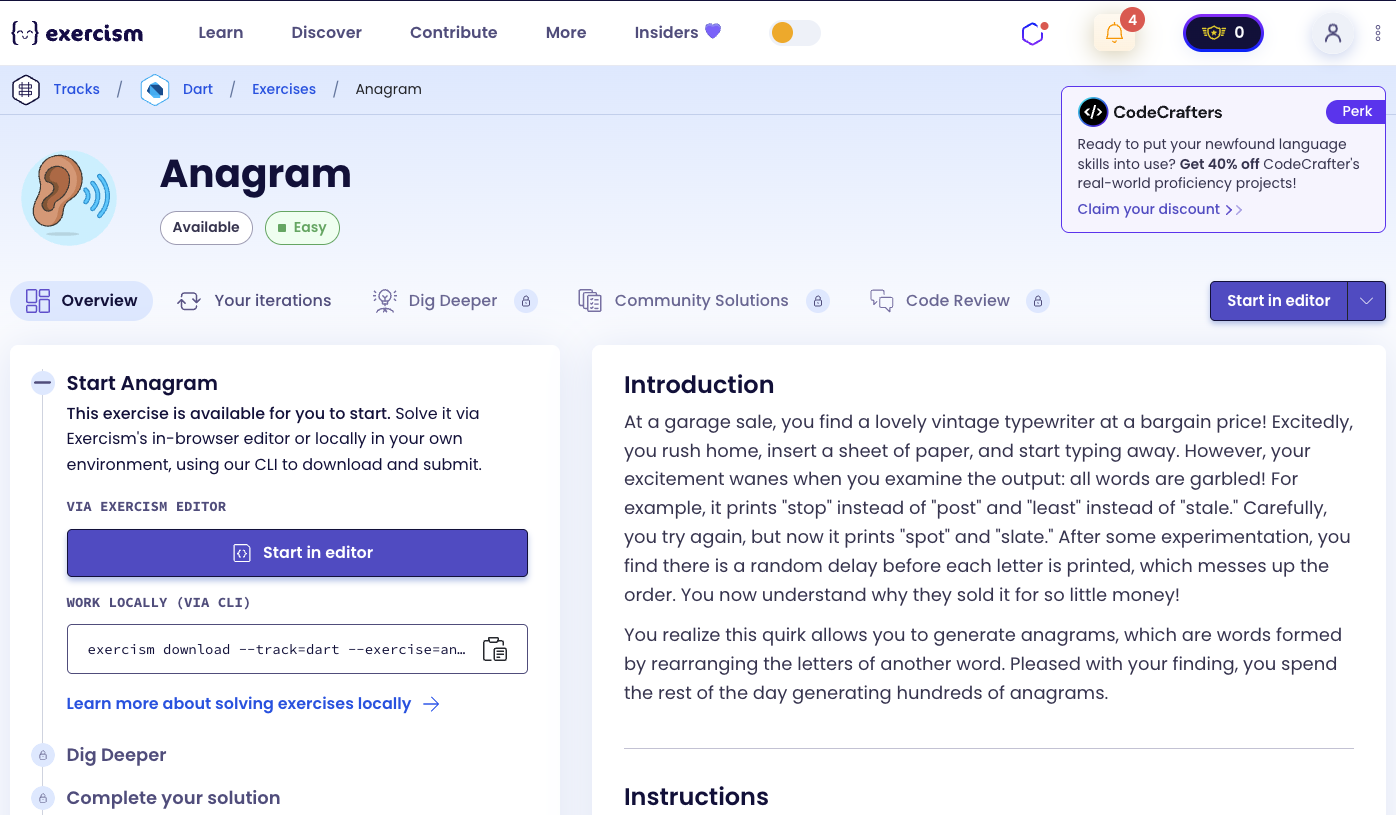
At a garage sale, you find a lovely vintage typewriter at a bargain price! Excitedly, you rush home, insert a sheet of paper, and start typing away. However, your excitement wanes when you examine the output: all words are garbled! For example, it prints “stop” instead of “post” and “least” instead of “stale.” Carefully, you try again, but now it prints “spot” and “slate.” After some experimentation, you find there is a random delay before each letter is printed, which messes up the order. You now understand why they sold it for so little money!
You realize this quirk allows you to generate anagrams, which are words formed by rearranging the letters of another word. Pleased with your finding, you spend the rest of the day generating hundreds of anagrams.
Instructions
Given a target word and one or more candidate words, your task is to find the candidates that are anagrams of the target.
An anagram is a rearrangement of letters to form a new word: for example “owns” is an anagram of “snow”. A word is not its own anagram: for example, “stop” is not an anagram of “stop”.
The target word and candidate words are made up of one or more ASCII alphabetic characters (A-Z and a-z). Lowercase and uppercase characters are equivalent: for example, “PoTS” is an anagram of “sTOp”, but “StoP” is not an anagram of “sTOp”. The words you need to find should be taken from the candidate words, using the same letter case.
Given the target “stone” and the candidate words “stone”, “tones”, “banana”, “tons”, “notes”, and “Seton”, the anagram words you need to find are “tones”, “notes”, and “Seton”.
You must return the anagrams in the same order as they are listed in the candidate words.
What is an anagram?
An anagram is a word or phrase formed by rearranging the letters of a different word or phrase, typically using all the original letters exactly once. For example, “listen” is an anagram of “silent”, and “the eyes” is an anagram of “they see”. Anagrams have been used throughout history for wordplay, puzzles, and cryptography.
— Wikipedia
How can we find anagrams?
To find anagrams:
- Normalize both words: Convert both the target word and each candidate to lowercase for case-insensitive comparison
- Sort the letters: Sort the letters of both words alphabetically
- Compare sorted versions: If the sorted letters match, the words are anagrams
- Exclude the same word: A word is not an anagram of itself (case-insensitive)
The key insight is that anagrams have the same letters in different orders. By sorting the letters, we can compare them directly - if two words have the same sorted letters, they’re anagrams.
For example:
- “stone” sorted: “enost”
- “tones” sorted: “enost” → Anagram!
- “notes” sorted: “enost” → Anagram!
- “banana” sorted: “aaabnn” → Not an anagram
Solution
class Anagram {
  List<String> findAnagrams(String word, List<String> listOfWords) {
    return listOfWords
        .where((e) => sortWord(word) == sortWord(e) &&
                     word.toLowerCase() != e.toLowerCase())
        .toList();
  }

  String sortWord(String unsortedWord) {
    return (unsortedWord.toLowerCase().split('')..sort()).join();
  }
}
Let’s break down the solution:
-
String sortWord(String unsortedWord)- Helper method that normalizes and sorts a word:unsortedWord.toLowerCase()- Converts the word to lowercase for case-insensitive comparison.split('')- Splits the string into a list of individual characters..sort()- Uses the cascade operator to sort the list in place (modifies the list and returns it).join()- Joins the sorted characters back into a string- Returns the normalized, sorted version of the word (e.g., “stone” → “enost”)
-
List<String> findAnagrams(String word, List<String> listOfWords)- Main method that finds anagrams:- Uses
where()to filter the candidate words - Condition 1:
sortWord(word) == sortWord(e)- Checks if the sorted letters match (anagram check) - Condition 2:
word.toLowerCase() != e.toLowerCase()- Excludes the same word (case-insensitive) - Converts the iterable result to a list with
toList() - Returns the anagrams in the same order as they appear in the input list
- Uses
The solution efficiently identifies anagrams by comparing sorted letter sequences. The cascade operator allows us to sort the list in place and continue chaining operations, making the code concise and readable.
You can watch this tutorial on YouTube. So don’t forget to like and subscribe. 😉
Watch on YouTube