Exercism - Atbash Cipher
This post shows you how to get Atbash Cipher exercise of Exercism.

Preparation
Before we click on our next exercise, let’s see what concepts of DART we need to consider
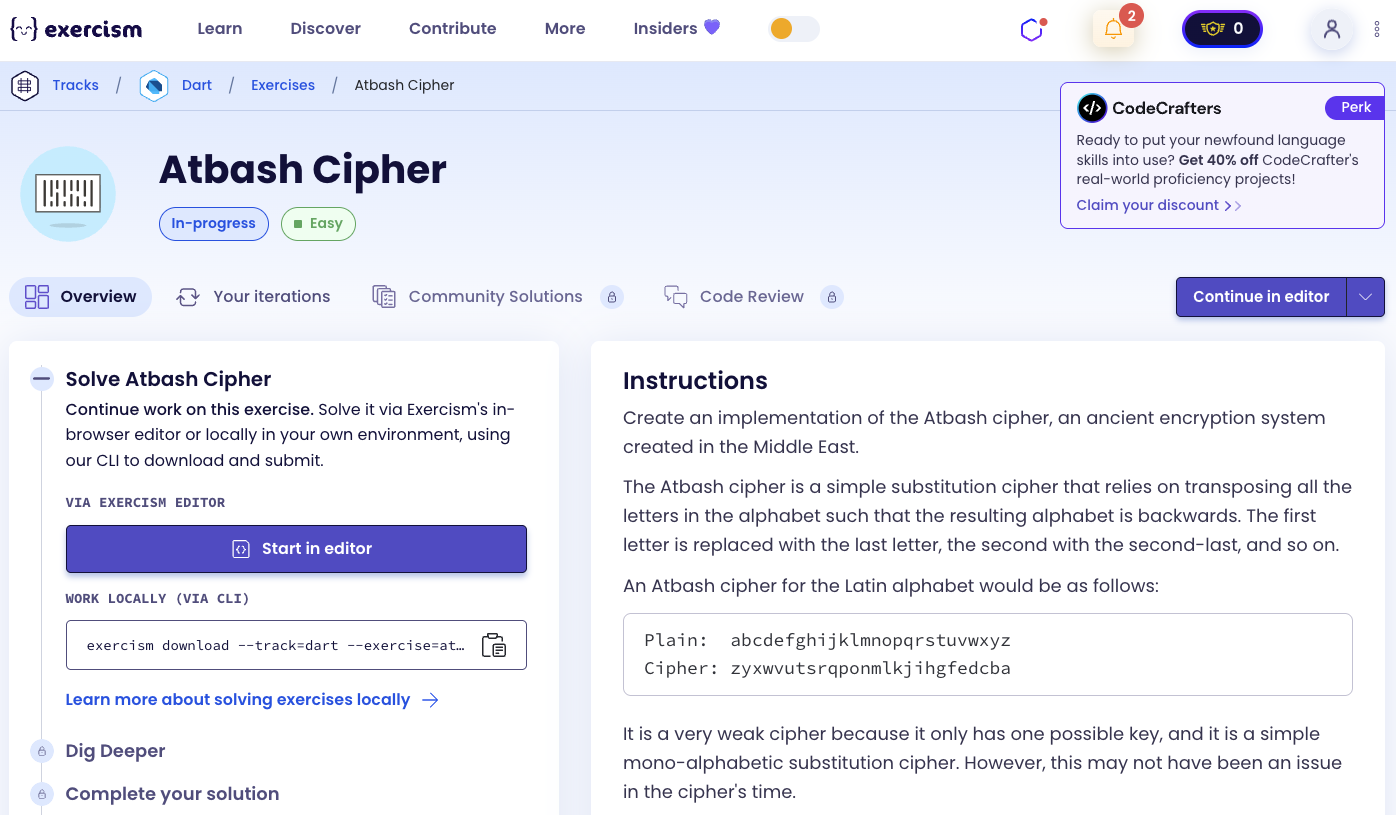
So we need to use the following concepts.
String Methods
Strings in Dart have many useful methods. The toLowerCase() method converts all characters to lowercase, split() divides a string into a list of substrings, and join() combines a list of strings into a single string.
void main() {
  String text = "HELLO WORLD";
  String lower = text.toLowerCase();
  List<String> chars = lower.split('');
  String joined = chars.join('');

  print(lower); // "hello world"
  print(chars); // ['h', 'e', 'l', 'l', 'o', ' ', 'w', 'o', 'r', 'l', 'd']
  print(joined); // "helloworld"
}
Regular Expressions (RegExp)
Regular expressions are patterns used to match character combinations in strings. The replaceAll() method can use RegExp to find and replace patterns.
void main() {
  String text = "Hello, World! 123";

  // Remove all non-alphanumeric characters
  String cleaned = text.replaceAll(RegExp(r'[^a-z0-9]', caseSensitive: false), '');
  print(cleaned); // "HelloWorld123"

  // Remove only punctuation
  String noPunct = text.replaceAll(RegExp(r'[^\w\s]'), '');
  print(noPunct); // "Hello World 123"
}
Map Method
The map method transforms each element of a collection into another element, creating a new collection with the transformed values.
void main() {
  List<int> numbers = [1, 2, 3, 4];
  List<int> doubled = numbers.map((n) => n * 2).toList();

  print(doubled); // [2, 4, 6, 8]

  List<String> words = ['hello', 'world'];
  List<String> upper = words.map((w) => w.toUpperCase()).toList();
  print(upper); // ['HELLO', 'WORLD']
}
Static Members
Static members (variables and methods) belong to the class itself rather than to instances of the class. They can be accessed without creating an instance.
class MathUtils {
  static const double pi = 3.14159;

  static int add(int a, int b) => a + b;
}

void main() {
  print(MathUtils.pi); // 3.14159
  print(MathUtils.add(5, 3)); // 8
}
String Indexing and Methods
Strings in Dart support indexing and methods like indexOf() to find the position of a character, contains() to check if a string contains a substring, and substring() to extract a portion of a string.
void main() {
  String alphabet = 'abcdefghijklmnopqrstuvwxyz';

  int index = alphabet.indexOf('c'); // 2
  bool hasC = alphabet.contains('c'); // true
  String char = alphabet[2]; // 'c'
  String reversed = alphabet.split('').reversed.join(''); // 'zyxwvutsrqponmlkjihgfedcba'

  // substring() extracts a portion of the string
  String text = "Hello World";
  String sub = text.substring(0, 5); // "Hello"
  String sub2 = text.substring(6); // "World"

  print(index);
  print(hasC);
  print(char);
  print(reversed);
  print(sub);
  print(sub2);
}
For Loops
For loops allow you to iterate over a range of values or through a collection. They’re useful for processing data in chunks or performing operations a specific number of times.
void main() {
  // Iterate with a counter
  for (int i = 0; i < 5; i++) {
    print(i); // 0, 1, 2, 3, 4
  }

  // Iterate in steps
  for (int i = 0; i < 10; i += 2) {
    print(i); // 0, 2, 4, 6, 8
  }

  // Process string in chunks
  String text = "abcdefghij";
  List<String> chunks = [];
  for (int i = 0; i < text.length; i += 3) {
    int end = i + 3 > text.length ? text.length : i + 3;
    chunks.add(text.substring(i, end));
  }
  print(chunks); // ['abc', 'def', 'ghi', 'j']
}
Introduction
Create an implementation of the Atbash cipher, an ancient encryption system created in the Middle East.
The Atbash cipher is a simple substitution cipher that relies on transposing all the letters in the alphabet such that the resulting alphabet is backwards. The first letter is replaced with the last letter, the second with the second-last, and so on.
An Atbash cipher for the Latin alphabet would be as follows:
Plain: abcdefghijklmnopqrstuvwxyz
Cipher: zyxwvutsrqponmlkjihgfedcba
It is a very weak cipher because it only has one possible key, and it is a simple mono-alphabetic substitution cipher. However, this may not have been an issue in the cipher’s time.
Ciphertext is written out in groups of fixed length, the traditional group size being 5 letters, leaving numbers unchanged, and punctuation is excluded. This is to make it harder to guess things based on word boundaries. All text will be encoded as lowercase letters.
Examples
- Encoding “test” gives “gvhg”
- Encoding “x123 yes” gives “c123b vh”
- Decoding “gvhg” gives “test”
- Decoding “gsvjf rxpyi ldmul cqfnk hlevi gsvoz abwlt” gives “thequickbrownfoxjumpsoverthelazydog”
What is the Atbash cipher?
Atbash is a monoalphabetic substitution cipher originally used to encrypt the Hebrew alphabet. It can be modified for use with any known writing system with a standard collating order. The name derives from the first, last, second, and second-to-last Hebrew letters (Aleph–Taw–Bet–Shin).
The Atbash cipher is a particular type of monoalphabetic cipher formed by taking the alphabet (or abjad, syllabary, etc.) and mapping it to its reverse, so that the first letter becomes the last letter, the second letter becomes the second to last letter, and so on.
— Wikipedia
How does the Atbash cipher work?
To encode or decode using Atbash:
- Convert the text to lowercase
- Remove all non-alphanumeric characters (keep only letters and numbers)
- For each letter, find its position in the alphabet (a=0, b=1, …, z=25)
- Replace it with the letter at the reverse position (z=0, y=1, …, a=25)
- Keep numbers unchanged
- For encoding, group the result into 5-character chunks separated by spaces
For example, encoding “test”:
- Convert to lowercase: “test”
- Remove non-alphanumeric: “test” (already clean)
- Transform letters:
- t (position 19) → g (position 6, which is 25-19)
- e (position 4) → v (position 21, which is 25-4)
- s (position 18) → h (position 7, which is 25-18)
- t (position 19) → g (position 6, which is 25-19)
- Result: “gvhg”
Solution
class AtbashCipher {
  static const String _alpha = 'abcdefghijklmnopqrstuvwxyz';

  static String _transform(String s) => s
      .toLowerCase()
      .replaceAll(RegExp(r'[^a-z0-9]'), '')
      .split('')
      .map((c) => _alpha.contains(c) ? _alpha[25 - _alpha.indexOf(c)] : c)
      .join();

  String encode(String input) {
    final t = _transform(input);
    if (t.length <= 5) return t;
    List<String> groups = [];
    for (int i = 0; i < t.length; i += 5) {
      groups.add(t.substring(i, i + 5 > t.length ? t.length : i + 5));
    }
    return groups.join(' ');
  }

  String decode(String input) => _transform(input);
}
Let’s break down the solution:
static const String _alpha- Defines the alphabet as a constant that can be accessed without creating an instance_transform(String s)- A private static method that performs the core transformation:toLowerCase()- Converts all characters to lowercasereplaceAll(RegExp(r'[^a-z0-9]'), '')- Removes all characters that are not lowercase letters or digitssplit('')- Converts the string into a list of individual charactersmap((c) => ...)- Transforms each character:- If it’s a letter, finds its position and replaces it with the letter at the reverse position (25 - index)
- If it’s a number or other character, keeps it unchanged
join()- Combines the transformed characters back into a string
encode(String input)- Encodes the input:- Calls
_transform()to get the transformed string and stores it int - If the result is 5 characters or less, returns it as-is
- Otherwise, creates an empty list
groupsto store the chunks - Uses a for loop to iterate through the string in steps of 5:
- Calculates the end index, ensuring it doesn’t exceed the string length
- Extracts a substring of up to 5 characters using
substring() - Adds each chunk to the
groupslist
- Joins all groups with spaces and returns the result
- Calls
decode(String input)- Decodes the input by simply calling_transform()(the cipher is symmetric, so encoding and decoding use the same transformation)
The solution uses a straightforward for loop to group the encoded text into 5-character chunks, making it easy to read and understand.
A video tutorial for this exercise is coming soon! In the meantime, check out my YouTube channel for more Dart and Flutter tutorials. 😉
Visit My YouTube Channel