Exercism - Eliud's Eggs
This post shows you how to get Eliud's Eggs exercise of Exercism.

Preparation
Before we click on our next exercise, let’s see what concepts of DART we need to consider
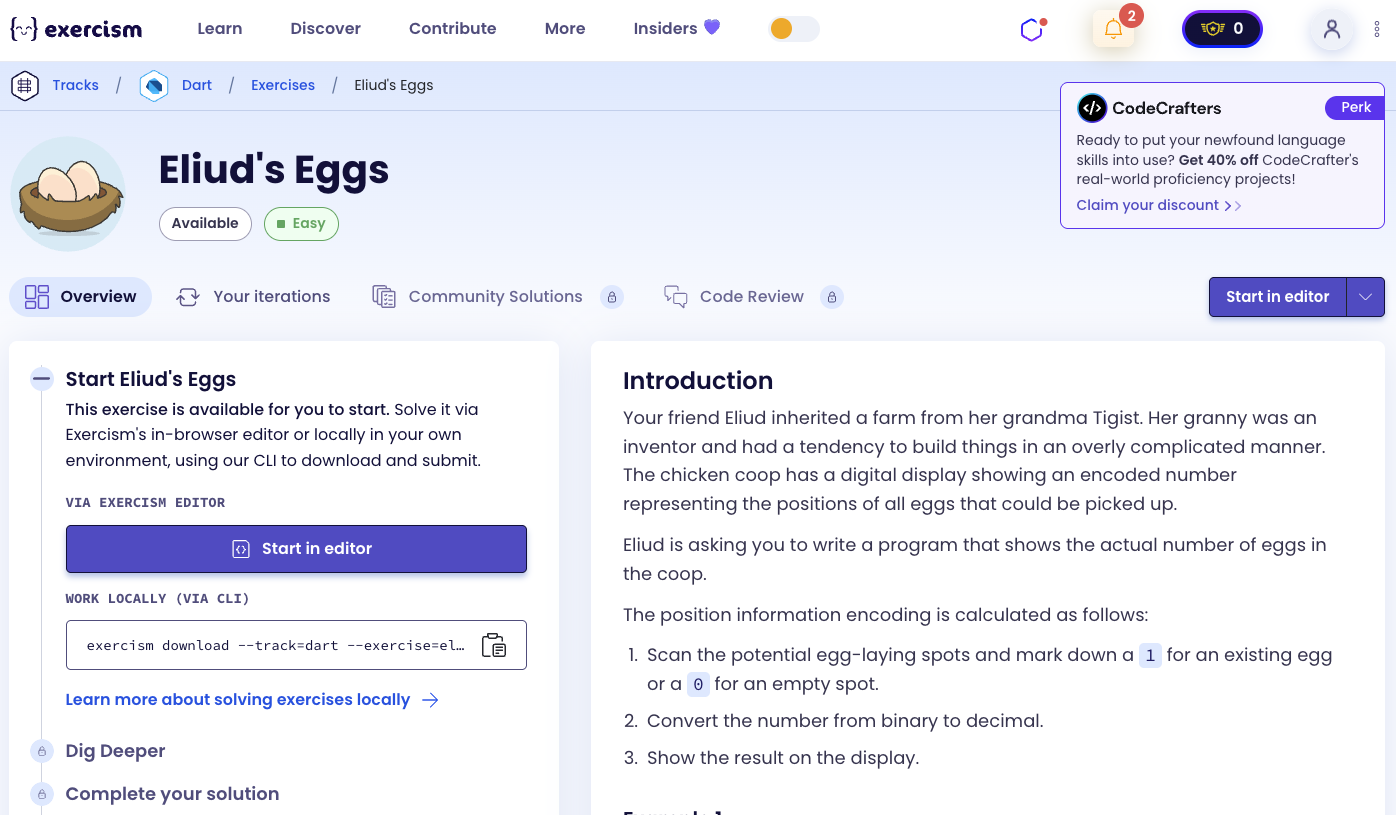
So we need to use the following concepts.
Bitwise Operators
Bitwise operators perform operations on individual bits of numbers. The most important ones for this exercise are:
&(AND) - Returns 1 if both bits are 1, otherwise 0>>(Right Shift) - Shifts bits to the right, effectively dividing by 2
void main() {
  int a = 5;  // Binary: 101
  int b = 3;  // Binary: 011

  // AND operation
  int result = a & b;  // Binary: 001 = 1
  print(result); // 1

  // Right shift
  int shifted = a >> 1;  // Binary: 010 = 2 (5 / 2 = 2)
  print(shifted); // 2

  // Check if least significant bit is 1
  if ((a & 1) == 1) {
    print("Last bit is 1");
  }
}
While Loops
While loops execute a block of code repeatedly as long as a condition is true. They’re useful when you don’t know in advance how many iterations you’ll need.
void main() {
  int count = 0;
  int number = 10;

  while (number > 0) {
    count++;
    number = number ~/ 2;  // Integer division
  }

  print(count); // 4
}
Binary Number System
Understanding binary numbers is crucial for this exercise. In binary:
- Each position represents a power of 2
- Rightmost bit is the least significant bit (LSB)
- Leftmost bit is the most significant bit (MSB)
void main() {
  // Decimal to binary understanding
  // 5 in decimal = 101 in binary
  // 1*2^2 + 0*2^1 + 1*2^0 = 4 + 0 + 1 = 5

  // 89 in decimal = 1011001 in binary
  // 1*2^6 + 0*2^5 + 1*2^4 + 1*2^3 + 0*2^2 + 0*2^1 + 1*2^0
  // = 64 + 0 + 16 + 8 + 0 + 0 + 1 = 89

  // Counting 1s in binary representation
  int number = 89;  // Binary: 1011001
  // Has 4 ones: positions 0, 3, 4, 6
}
Integer Division and Comparison
When working with bits, we use integer operations and comparisons to check specific conditions.
void main() {
  int n = 5;

  // Check if number is not zero
  while (n != 0) {
    print(n);
    n = n >> 1;  // Shift right (divide by 2)
  }

  // Check if least significant bit is 1
  if ((n & 1) == 1) {
    print("Odd number");
  }
}
Introduction
Your friend Eliud inherited a farm from her grandma Tigist. Her granny was an inventor and had a tendency to build things in an overly complicated manner. The chicken coop has a digital display showing an encoded number representing the positions of all eggs that could be picked up.
Eliud is asking you to write a program that shows the actual number of eggs in the coop.
The position information encoding is calculated as follows:
- Scan the potential egg-laying spots and mark down a 1 for an existing egg or a 0 for an empty spot.
- Convert the number from binary to decimal.
- Show the result on the display.
Example 1
Seven individual nest boxes arranged in a row whose first, third, fourth and seventh nests each have a single egg.
 _ _ _ _ _ _ _
|E| |E|E| | |E|
Resulting Binary: 1011001
 _ _ _ _ _ _ _
|1|0|1|1|0|0|1|
Decimal number on the display: 89
Actual eggs in the coop: 4
Example 2
Seven individual nest boxes arranged in a row where only the fourth nest has an egg.
 _ _ _ _ _ _ _
| | | |E| | | |
Resulting Binary: 0001000
 _ _ _ _ _ _ _
|0|0|0|1|0|0|0|
Decimal number on the display: 8
Actual eggs in the coop: 1
Instructions
Your task is to count the number of 1 bits in the binary representation of a number.
Restrictions: Keep your hands off that bit-count functionality provided by your standard library! Solve this one yourself using other basic tools instead.
What is bit counting?
Bit counting, also known as population count or Hamming weight, is the operation of counting the number of 1 bits in the binary representation of a number. This is a fundamental operation in computer science, used in various algorithms including error detection, cryptography, and optimization problems.
— Computer Science
How can we count bits manually?
To count the number of 1 bits in a binary number:
- Start with a counter set to 0
- Check the least significant bit (rightmost bit) using bitwise AND with 1
- If the bit is 1, increment the counter
- Shift the number right by 1 bit (divide by 2)
- Repeat steps 2-4 until the number becomes 0
For example, counting bits in 89 (binary: 1011001):
- 89 & 1 = 1 → count = 1, then 89 >> 1 = 44
- 44 & 1 = 0 → count = 1, then 44 >> 1 = 22
- 22 & 1 = 0 → count = 1, then 22 >> 1 = 11
- 11 & 1 = 1 → count = 2, then 11 >> 1 = 5
- 5 & 1 = 1 → count = 3, then 5 >> 1 = 2
- 2 & 1 = 0 → count = 3, then 2 >> 1 = 1
- 1 & 1 = 1 → count = 4, then 1 >> 1 = 0
- Result: 4 ones
Solution
class EggCounter {
  int count(int displayNumber) {
    int result = 0;
    int n = displayNumber;

    while (n != 0) {
      if (n & 1 == 1) {
        result++;
      }
      n = n >> 1;
    }
    return result;
  }
}
Let’s break down the solution:
int result = 0- Initializes a counter to keep track of the number of 1 bits foundint n = displayNumber- Creates a copy of the input number to work with (preserving the original)while (n != 0)- Continues looping as long as there are bits to processif (n & 1 == 1)- Checks if the least significant bit (rightmost bit) is 1:n & 1performs a bitwise AND operation with 1- This isolates the rightmost bit (all other bits become 0)
- If the result equals 1, the rightmost bit was 1
result++- Increments the counter when a 1 bit is foundn = n >> 1- Shifts all bits to the right by one position:- This effectively divides the number by 2
- The rightmost bit is discarded
- The process continues with the next bit
return result- Returns the total count of 1 bits
The algorithm processes each bit from right to left (least significant to most significant), counting how many are set to 1. This gives us the actual number of eggs in the coop!
A video tutorial for this exercise is coming soon! In the meantime, check out my YouTube channel for more Dart and Flutter tutorials. 😉
Visit My YouTube Channel