Exercism - Raindrops
This post shows you how to get Raindrops exercise of Exercism.

Preparation
Before we click on our next exercise, let’s see what concepts of DART we need to consider
So we need to use the following concepts.
Modulo Operator
The modulo operator % returns the remainder of a division operation. It’s perfect for checking if a number is evenly divisible by another number.
void main() {
  print(10 % 3); // 1 (10 divided by 3 leaves remainder 1)
  print(10 % 5); // 0 (10 divided by 5 leaves remainder 0)
  print(15 % 3); // 0 (15 is divisible by 3)

  // Check if divisible
  bool divisible = (10 % 5) == 0;
  print(divisible); // true
}
String Concatenation
You can concatenate (join) strings using the += operator or the + operator. This allows you to build strings incrementally.
void main() {
  String result = "";

  // Add strings using +=
  result += "Pling";
  result += "Plang";
  print(result); // "PlingPlang"

  // Or using +
  String combined = "Hello" + " " + "World";
  print(combined); // "Hello World"
}
Conditional Statements
If statements allow you to execute code conditionally based on whether a condition is true or false.
void main() {
  int number = 15;
  String result = "";

  if (number % 3 == 0) {
    result += "Pling";
  }

  if (number % 5 == 0) {
    result += "Plang";
  }

  print(result); // "PlingPlang"
}
toString Method
The toString() method converts a number to its string representation. This is useful when you need to return a number as a string.
void main() {
  int number = 34;
  String str = number.toString();
  print(str); // "34"
  print(str is String); // true
}
Ternary Operator
The conditional operator ? : is a shorthand for if-else statements. It’s useful for concise conditional expressions.
void main() {
  String result = "";
  String output = result == "" ? "default" : result;
  print(output); // "default"

  // Convert number to string if result is empty
  int number = 34;
  String finalResult = result.isEmpty ? number.toString() : result;
  print(finalResult); // "34"
}
String Comparison
You can compare strings using the == operator to check if they’re equal, or check if a string is empty.
void main() {
  String str1 = "hello";
  String str2 = "hello";
  String empty = "";

  // Equality check
  bool equal = str1 == str2;
  print(equal); // true

  // Empty check
  bool isEmpty = empty == "";
  print(isEmpty); // true

  // Or use isEmpty property
  bool isAlsoEmpty = empty.isEmpty;
  print(isAlsoEmpty); // true
}
Introduction
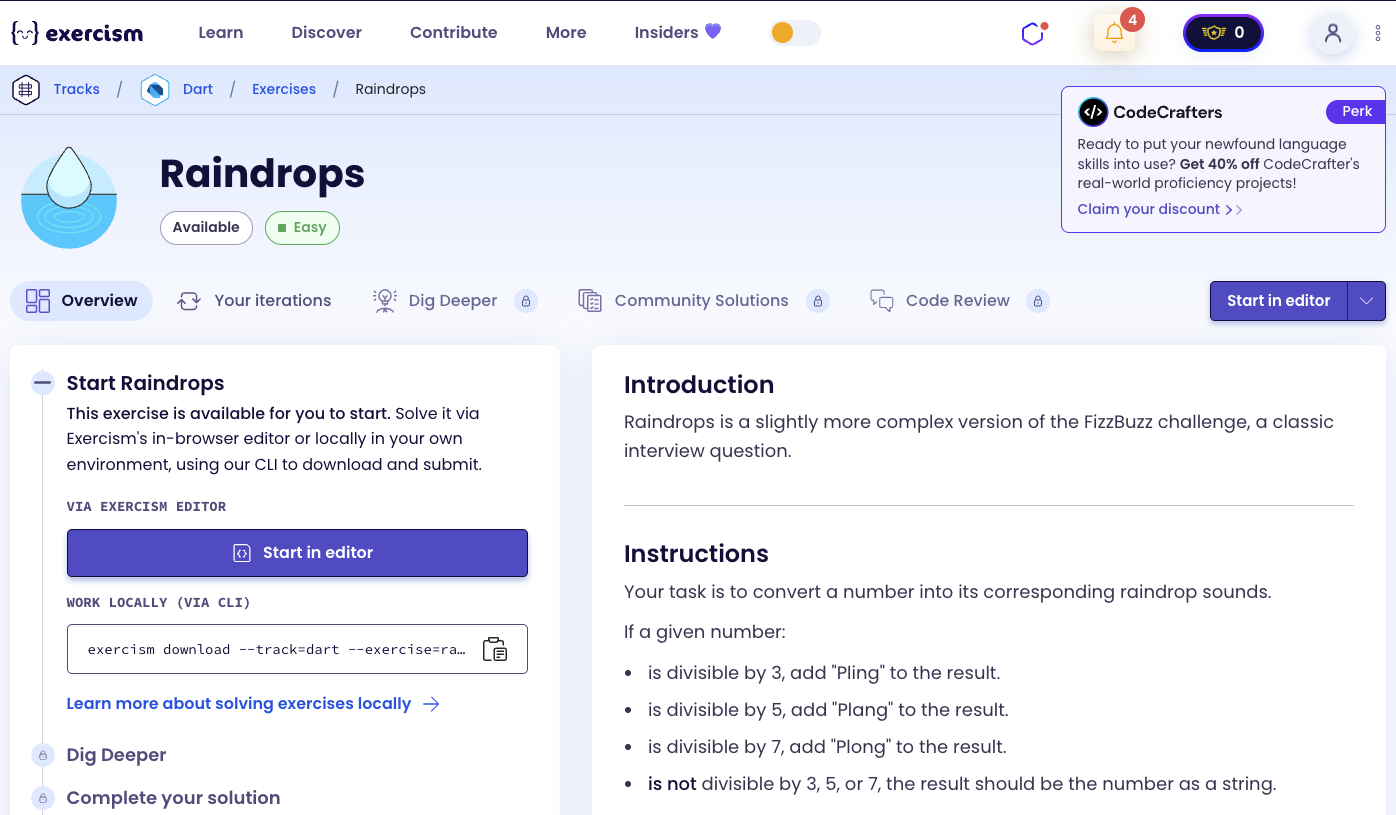
Raindrops is a slightly more complex version of the FizzBuzz challenge, a classic interview question.
Instructions
Your task is to convert a number into its corresponding raindrop sounds.
If a given number:
- is divisible by 3, add “Pling” to the result.
- is divisible by 5, add “Plang” to the result.
- is divisible by 7, add “Plong” to the result.
- is not divisible by 3, 5, or 7, the result should be the number as a string.
Examples
- 28 is divisible by 7, but not 3 or 5, so the result would be “Plong”.
- 30 is divisible by 3 and 5, but not 7, so the result would be “PlingPlang”.
- 34 is not divisible by 3, 5, or 7, so the result would be “34”.
Note
A common way to test if one number is evenly divisible by another is to compare the remainder or modulus to zero. Most languages provide operators or functions for one (or both) of these.
What is FizzBuzz?
FizzBuzz is a classic programming problem often used in coding interviews. The basic version asks you to print numbers from 1 to 100, but for multiples of 3 print “Fizz”, for multiples of 5 print “Buzz”, and for multiples of both print “FizzBuzz”.
Raindrops is a variation that uses different sounds (Pling, Plang, Plong) and includes a third divisor (7). It’s a great exercise for practicing conditional logic and string manipulation.
— Programming Interviews
How can we convert a number to raindrop sounds?
To convert a number to raindrop sounds:
- Start with an empty string
- Check if the number is divisible by 3 - if yes, add “Pling”
- Check if the number is divisible by 5 - if yes, add “Plang”
- Check if the number is divisible by 7 - if yes, add “Plong”
- If the result string is still empty, return the number as a string
- Otherwise, return the accumulated string
For example, with 30:
- 30 % 3 == 0 → add “Pling” → result = “Pling”
- 30 % 5 == 0 → add “Plang” → result = “PlingPlang”
- 30 % 7 != 0 → skip
- Result is not empty → return “PlingPlang”
Solution
class Raindrops {
  String convert(int number) {
    String result = "";
    if (number % 3 == 0) result += "Pling";
    if (number % 5 == 0) result += "Plang";
    if (number % 7 == 0) result += "Plong";
    return result == "" ? number.toString() : result;
  }
}
Let’s break down the solution:
-
String result = ""- Initializes an empty string to accumulate the raindrop sounds -
if (number % 3 == 0) result += "Pling"- Checks if the number is divisible by 3:number % 3 == 0checks if the remainder is zero (meaning divisible)- If true, appends “Pling” to the result string
-
if (number % 5 == 0) result += "Plang"- Checks if the number is divisible by 5:- Same logic as above, but for 5
- Appends “Plang” if divisible
-
if (number % 7 == 0) result += "Plong"- Checks if the number is divisible by 7:- Same logic as above, but for 7
- Appends “Plong” if divisible
-
return result == "" ? number.toString() : result- Returns the final result:- Uses a ternary operator to check if result is empty
- If empty (no divisors matched), returns the number as a string
- Otherwise, returns the accumulated raindrop sounds
The solution uses independent if statements (not else if) because a number can be divisible by multiple divisors simultaneously. For example, 105 is divisible by 3, 5, and 7, so it should return “PlingPlangPlong”.
You can watch this tutorial on YouTube. So don’t forget to like and subscribe. 😉
Watch on YouTube