Exercism - Scrabble Score
This post shows you how to get Scrabble Score exercise of Exercism.

Preparation
Before we click on our next exercise, let’s see what concepts of DART we need to consider
So we need to use the following concepts.
Maps
A Map is a collection of key-value pairs. Each key in a map is unique, and you can use keys to look up their corresponding values.
void main() {
  Map<String, int> scores = {
    'a': 1,
    'b': 3,
    'c': 3,
  };

  print(scores['a']); // 1
  print(scores['b']); // 3
  print(scores['x']); // null (key doesn't exist)
}
String Methods
Strings in Dart have many useful methods. The toLowerCase() method converts all characters to lowercase, and split() divides a string into a list of substrings.
void main() {
  String word = "HELLO";
  String lower = word.toLowerCase();
  List<String> letters = lower.split('');

  print(lower); // "hello"
  print(letters); // ['h', 'e', 'l', 'l', 'o']
}
Fold Method
The fold method is used to reduce a collection to a single value by iteratively combining each element with an existing value using a provided function.
void main() {
  List<int> numbers = [1, 2, 3, 4];

  int sum = numbers.fold(0, (total, number) => total + number);
  print(sum); // 10
}
Null-Aware Operator
The null-aware operator ?? provides a default value when an expression is null. This is essential for handling cases where a map lookup might return null.
void main() {
  Map<String, int> map = {'a': 1};

  int? value1 = map['a']; // 1
  int? value2 = map['b']; // null

  // Using null-aware operator
  int result1 = map['a'] ?? 0; // 1
  int result2 = map['b'] ?? 0; // 0 (default value)

  print(result1);
  print(result2);
}
Introduction
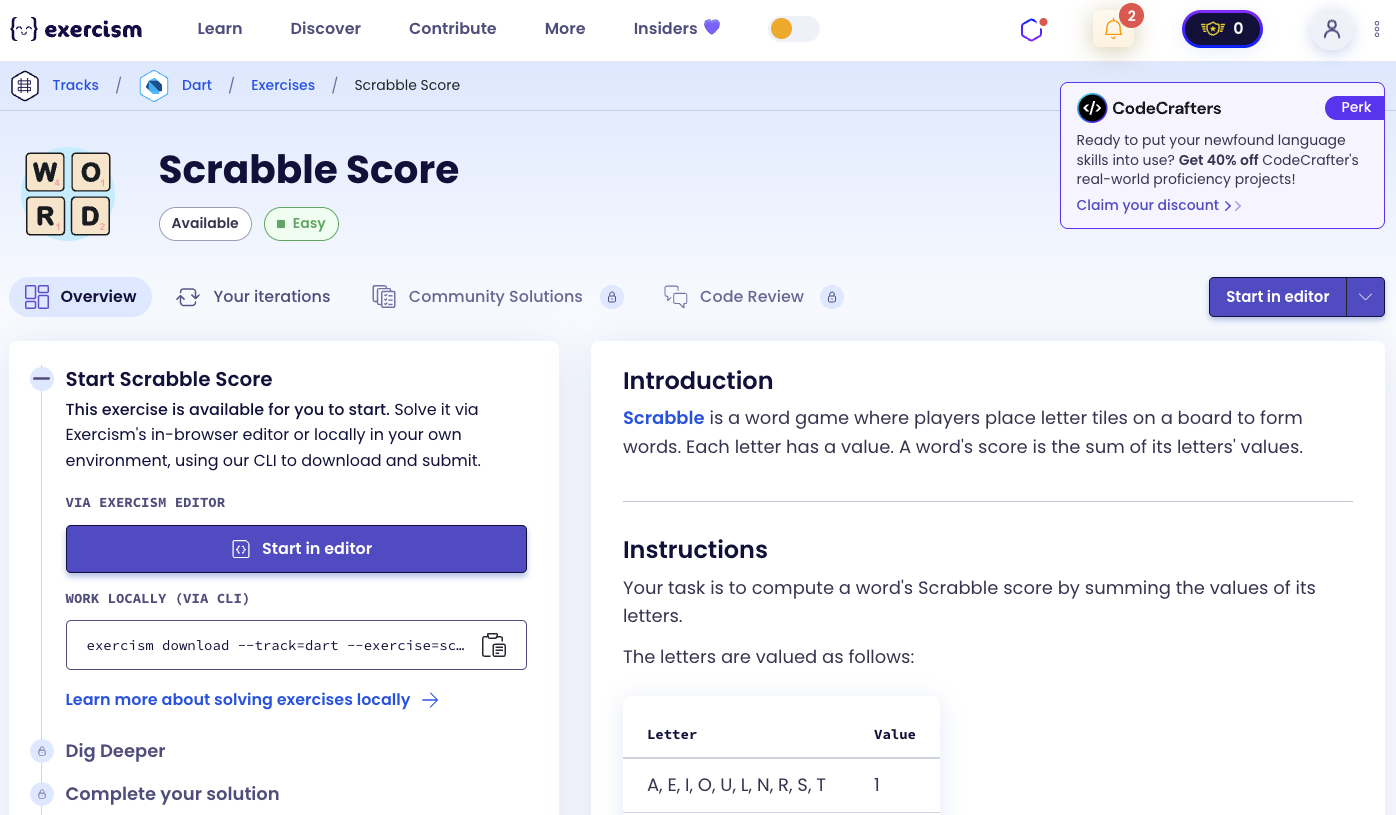
Scrabble is a word game where players place letter tiles on a board to form words. Each letter has a value. A word’s score is the sum of its letters’ values.
Your task is to compute a word’s Scrabble score by summing the values of its letters.
The letters are valued as follows:
| Letter | Value |
|---|---|
| A, E, I, O, U, L, N, R, S, T | 1 |
| D, G | 2 |
| B, C, M, P | 3 |
| F, H, V, W, Y | 4 |
| K | 5 |
| J, X | 8 |
| Q, Z | 10 |
For example, the word “cabbage” is worth 14 points:
- 3 points for C
- 1 point for A
- 3 points for B
- 3 points for B
- 1 point for A
- 2 points for G
- 1 point for E
Total: 3 + 1 + 3 + 3 + 1 + 2 + 1 = 14 points
What is Scrabble?
Scrabble is a word game in which two to four players score points by placing tiles, each bearing a single letter, onto a game board divided into a 15×15 grid of squares. The tiles must form words that, in crossword fashion, read left to right in rows or downward in columns, and be included in a standard dictionary or lexicon. The game is manufactured by Hasbro in North America and by Mattel elsewhere.
— Wikipedia
How can we calculate a Scrabble score?
To calculate a word’s Scrabble score:
- Convert the word to lowercase to handle case-insensitive matching
- Split the word into individual letters
- Look up each letter’s value in a map
- Sum all the letter values
- Return the total score
For example, with “cabbage”:
- Convert to lowercase: “cabbage”
- Split: [‘c’, ‘a’, ‘b’, ‘b’, ‘a’, ‘g’, ‘e’]
- Look up values: 3, 1, 3, 3, 1, 2, 1
- Sum: 3 + 1 + 3 + 3 + 1 + 2 + 1 = 14
⚠️ Old Solution (No Longer Works)
Previously, the solution didn’t handle null safety properly. Here’s what the old solution looked like:
int score(String word) {
  Map<String, int> letterValues = {
    "a": 1, "b": 3, "c": 3, "d": 2, "e": 1,
    "f": 4, "g": 2, "h": 4, "i": 1, "j": 8,
    "k": 5, "l": 1, "m": 3, "n": 1, "o": 1,
    "p": 3, "q": 10, "r": 1, "s": 1, "t": 1,
    "u": 1, "v": 4, "w": 4, "x": 8, "y": 4,
    "z": 10
  };
  return word.toLowerCase().split('').fold(0, (previous, current) => previous + letterValues[current]);
}
Why This Solution Doesn’t Work Anymore
The old solution has a critical flaw: it doesn’t handle null values properly. When you access a map with a key that doesn’t exist (like letterValues[current] where current might be a character not in the map, such as a number or special character), the map returns null.
In Dart’s null-safe mode, you cannot directly add a null value to an integer. The expression previous + letterValues[current] will fail if letterValues[current] returns null, causing a runtime error.
The exercise now requires:
- Using the null-aware operator
??to provide a default value of0when a character is not found in the map - This ensures that any invalid characters (numbers, special characters, etc.) are treated as having a value of 0
- The solution becomes more robust and handles edge cases gracefully
Solution
int score(String word) {
  Map<String, int> letterValues = {
    "a": 1, "b": 3, "c": 3, "d": 2, "e": 1,
    "f": 4, "g": 2, "h": 4, "i": 1, "j": 8,
    "k": 5, "l": 1, "m": 3, "n": 1, "o": 1,
    "p": 3, "q": 10, "r": 1, "s": 1, "t": 1,
    "u": 1, "v": 4, "w": 4, "x": 8, "y": 4,
    "z": 10
  };
  return word
      .toLowerCase()
      .split('')
      .fold(0, (previous, current) => previous + (letterValues[current] ?? 0));
}
Let’s break down the solution:
Map<String, int> letterValues- Creates a map that associates each letter with its Scrabble point valueword.toLowerCase()- Converts the input word to lowercase for case-insensitive matching.split('')- Splits the word into individual character strings.fold(0, ...)- Starts with 0 and accumulates the sum of letter valuesletterValues[current]- Looks up the value for the current letter?? 0- Uses the null-aware operator to return 0 if the letter is not found in the map- The final result is the sum of all letter values
You can watch this tutorial on YouTube. So don’t forget to like and subscribe. 😉
Watch on YouTube