Exercism - Secret Handshake
This post shows you how to get Secret Handshake exercise of Exercism.

Preparation
Before we click on our next exercise, let’s see what concepts of DART we need to consider
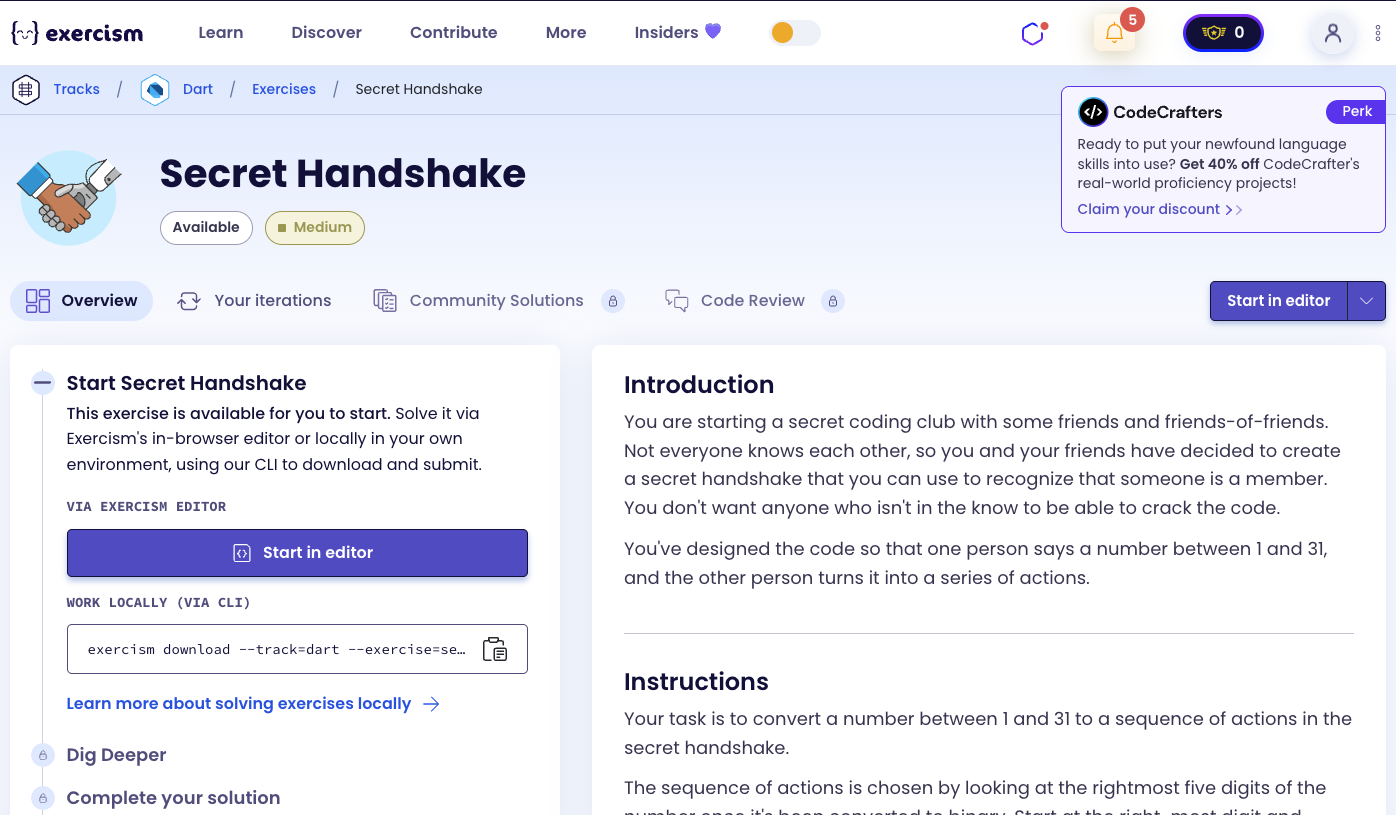
So we need to use the following concepts.
Bitwise AND Operator
The bitwise AND operator (&) compares each bit of two numbers. It returns 1 if both bits are 1, otherwise 0. It’s useful for checking if specific bits are set.
void main() {
  int number = 9;  // Binary: 1001

  // Check if bit 0 (1) is set
  if ((number & 1) != 0) {
    print('Bit 0 is set'); // This prints
  }

  // Check if bit 1 (2) is set
  if ((number & 2) != 0) {
    print('Bit 1 is set'); // This doesn't print (9 & 2 = 0)
  }

  // Check if bit 3 (8) is set
  if ((number & 8) != 0) {
    print('Bit 3 is set'); // This prints
  }

  // Check if bit 4 (16) is set
  if ((number & 16) != 0) {
    print('Bit 4 is set'); // This doesn't print
  }
}
Binary Numbers
Binary numbers use only 0s and 1s. Each position represents a power of 2. The rightmost bit is the least significant bit (bit 0), representing 2⁰ = 1.
void main() {
  // Understanding binary representation
  // 9 in decimal = 1001 in binary
  // Position:  3  2  1  0
  // Binary:    1  0  0  1
  // Value:     8  4  2  1
  // Result:    8 + 0 + 0 + 1 = 9

  // 26 in decimal = 11010 in binary
  // Position:  4  3  2  1  0
  // Binary:    1  1  0  1  0
  // Value:     16  8  4  2  1
  // Result:    16 + 8 + 0 + 2 + 0 = 26

  // Powers of 2 for bit positions
  // Bit 0 = 2⁰ = 1
  // Bit 1 = 2¹ = 2
  // Bit 2 = 2² = 4
  // Bit 3 = 2³ = 8
  // Bit 4 = 2⁴ = 16
}
List Comprehensions with Conditionals
List comprehensions can include conditional elements using if statements. Only elements that satisfy the condition are included in the list.
void main() {
  int number = 9;

  // List with conditional elements
  List<String> actions = [
    if (number & 1 != 0) 'wink',
    if (number & 2 != 0) 'double blink',
    if (number & 4 != 0) 'close your eyes',
    if (number & 8 != 0) 'jump',
  ];

  // For number 9 (1001):
  // Bit 0 (1) is set → includes 'wink'
  // Bit 1 (2) is not set → skips 'double blink'
  // Bit 2 (4) is not set → skips 'close your eyes'
  // Bit 3 (8) is set → includes 'jump'
  // Result: ['wink', 'jump']
  print(actions); // [wink, jump]
}
Reversed Property
The reversed property returns an iterable containing the elements of a list in reverse order. It doesn’t modify the original list.
void main() {
  List<String> actions = ['wink', 'jump'];

  // Get reversed iterable
  var reversed = actions.reversed;
  print(reversed); // (jump, wink)

  // Convert to list
  List<String> reversedList = actions.reversed.toList();
  print(reversedList); // [jump, wink]

  // Original list unchanged
  print(actions); // [wink, jump]

  // Use in conditional
  bool shouldReverse = true;
  List<String> result = shouldReverse
      ? actions.reversed.toList()
      : actions;
  print(result); // [jump, wink]
}
Conditional (Ternary) Operator
The ternary operator (? :) provides a concise way to write if-else statements. It’s useful for simple conditional assignments.
void main() {
  int number = 26;
  List<String> actions = ['double blink', 'jump'];

  // Check if bit 4 (16) is set to reverse
  bool shouldReverse = (number & 16) != 0;

  // Ternary operator
  List<String> result = shouldReverse
      ? actions.reversed.toList()
      : actions;

  // Or directly
  List<String> result2 = (number & 16) != 0
      ? actions.reversed.toList()
      : actions;

  print(result2);
}
Comparison Operators
Comparison operators (!=, ==) compare values and return boolean results. They’re used with bitwise operations to check if bits are set.
void main() {
  int number = 9;

  // Check if bit is set (not equal to 0)
  bool bit0Set = (number & 1) != 0; // true
  bool bit1Set = (number & 2) != 0; // false

  // Use in conditionals
  if ((number & 1) != 0) {
    print('Bit 0 is set');
  }

  // Check for reverse flag
  bool shouldReverse = (number & 16) != 0;
  print(shouldReverse); // false (9 & 16 = 0)
}
Introduction
You are starting a secret coding club with some friends and friends-of-friends. Not everyone knows each other, so you and your friends have decided to create a secret handshake that you can use to recognize that someone is a member. You don’t want anyone who isn’t in the know to be able to crack the code.
You’ve designed the code so that one person says a number between 1 and 31, and the other person turns it into a series of actions.
Instructions
Your task is to convert a number between 1 and 31 to a sequence of actions in the secret handshake.
The sequence of actions is chosen by looking at the rightmost five digits of the number once it’s been converted to binary. Start at the right-most digit and move left.
The actions for each number place are:
- 00001 (bit 0) = wink
- 00010 (bit 1) = double blink
- 00100 (bit 2) = close your eyes
- 01000 (bit 3) = jump
- 10000 (bit 4) = Reverse the order of the operations in the secret handshake.
Example 1: Number 9
Let’s use the number 9 as an example:
9 in binary is 1001.
The digit that is farthest to the right is 1, so the first action is wink.
Going left, the next digit is 0, so there is no double-blink.
Going left again, the next digit is 0, so you leave your eyes open.
Going left again, the next digit is 1, so you jump.
That was the last digit, so the final code is: wink, jump
Example 2: Number 26
Given the number 26, which is 11010 in binary, we get the following actions:
- Bit 0 (1): not set → no wink
- Bit 1 (2): set → double blink
- Bit 2 (4): not set → no close eyes
- Bit 3 (8): set → jump
- Bit 4 (16): set → reverse actions
The secret handshake for 26 is therefore: jump, double blink
What is binary?
Binary is a number system that uses only two digits: 0 and 1. Each position in a binary number represents a power of 2. The rightmost position is 2⁰ (1), the next is 2¹ (2), then 2² (4), 2³ (8), and so on. Binary is fundamental to computer science because computers use electrical signals that can only be on (1) or off (0).
— Computer Science
How can we decode the secret handshake?
To decode the secret handshake:
- Check each bit position: Use bitwise AND to check if bits 0-4 are set
- Build action list: Include actions for each set bit in order (bit 0 → bit 3)
- Check reverse flag: If bit 4 (16) is set, reverse the action list
- Return result: Return the final list of actions
The key insight is using bitwise AND operations to check which bits are set, then conditionally including actions in a list. The reverse flag (bit 4) determines whether to reverse the final list.
For example, with number 9 (binary 1001):
- Bit 0 (1) is set → include ‘wink’
- Bit 1 (2) is not set → skip ‘double blink’
- Bit 2 (4) is not set → skip ‘close your eyes’
- Bit 3 (8) is set → include ‘jump’
- Bit 4 (16) is not set → don’t reverse
- Result: [‘wink’, ‘jump’]
Solution
class SecretHandshake {
  List<String> commands(int number) {
    final actions = [
      if (number & 1 != 0) 'wink',
      if (number & 2 != 0) 'double blink',
      if (number & 4 != 0) 'close your eyes',
      if (number & 8 != 0) 'jump',
    ];

    return number & 16 != 0 ? actions.reversed.toList() : actions;
  }
}
Let’s break down the solution:
-
List<String> commands(int number)- Main method that decodes the handshake:- Takes a number between 1 and 31
- Returns a list of action strings
-
final actions = [...]- Build the action list using list comprehension:- Uses conditional elements with
ifstatements if (number & 1 != 0) 'wink': Checks bit 0 (value 1)- If bit 0 is set, includes ‘wink’
- Uses bitwise AND:
number & 1checks the least significant bit
if (number & 2 != 0) 'double blink': Checks bit 1 (value 2)- If bit 1 is set, includes ‘double blink’
if (number & 4 != 0) 'close your eyes': Checks bit 2 (value 4)- If bit 2 is set, includes ‘close your eyes’
if (number & 8 != 0) 'jump': Checks bit 3 (value 8)- If bit 3 is set, includes ‘jump’
- Actions are added in order from bit 0 to bit 3
- Uses conditional elements with
-
return number & 16 != 0 ? actions.reversed.toList() : actions- Apply reverse if needed:number & 16 != 0: Checks if bit 4 (value 16) is set- If bit 4 is set: Reverses the actions list using
reversed.toList() - If bit 4 is not set: Returns actions as-is
- Uses ternary operator for concise conditional logic
The solution efficiently decodes the secret handshake by using bitwise AND operations to check which bits are set, conditionally building the action list, and applying the reverse flag if needed.
A video tutorial for this exercise is coming soon! In the meantime, check out my YouTube channel for more Dart and Flutter tutorials. 😉
Visit My YouTube Channel